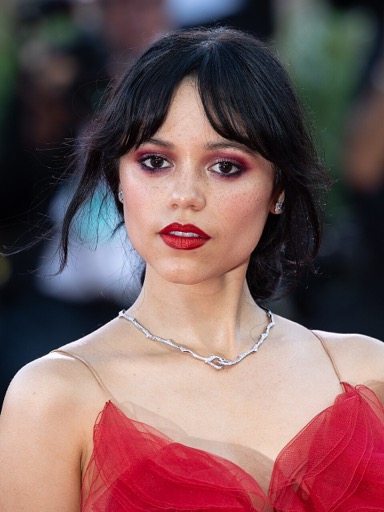
Jenna Ortega AI Voice Generator — Free Text to Speech
Type a script, play an instant Jenna Ortega-style preview, then generate and download MP3 in seconds — all in your browser.
Free · No sign-up · Works in your browser
Enter your text
Choose a voice
By clicking Generate you confirm that you have obtained explicit written authorization from the voice owner or provider for any voice you provide, and that you will use the generated audio only for lawful purposes. See our Terms of Use.
How to generate Jenna Ortega-style audio online
Make a clip in four quick steps. The Jenna Ortega AI Voice Generator gives an instant preview so you can tweak tone, then creates a downloadable MP3 — no installs required.
- 1
Type your text
Enter the exact lines you want the Jenna Ortega-style voice to say. Short, clear sentences produce the cleanest preview.
- 2
Pick and preview
Choose the Jenna Ortega-style voice and play the instant preview clip to check pacing and emphasis before you generate a final file.
- 3
Generate
Click Generate. Your text is sent to our servers where Text to Speech models create the audio in seconds; the page shows the finished clip.
- 4
Play and download
Listen in the page player and download the result as an MP3 for use in videos, memes, or social posts.
Jenna Ortega AI Voice Generator features
Simple browser Text to Speech tools you can use right away — preview, generate, and export MP3 files.
Fast browser-based generation
Create audio without installing anything. Type, send, and get playback on the page — audio is produced on our servers in seconds.
Instant preview clip
Every voice includes a short preview you can play before creating the final MP3 so you can tweak phrasing and delivery.
Free tier and Pro upgrade
Free users can generate up to 300 characters per generation with no account required. Upgrade to Pro ($9.9/month) to raise the per-generation limit to 1000 characters.
Downloadable MP3 output
Generated audio is available as an MP3 you can save and import into video editors, social apps, or game overlays.
Library of 195+ voices
Browse voices across Celebrity, Character, Cartoon, Anime, Gaming, Music and Meme categories — including a dedicated Jenna Ortega-style option.
AI-powered Text to Speech
Voices are AI recreations using voice-cloning Text to Speech (TTS) models; style labels use the character name (for example, "Jenna Ortega-style").
Works on desktop and mobile
No app download or installation — the generator runs in modern desktop and mobile browsers.
What people make with the Jenna Ortega-style voice
Practical, short-form projects that fit this voice’s tone and pacing.
TikTok skits and Reels
Add punchy one-liners, character bits, or narration tailored for short social videos.
Fan edits and montages
Layer a Jenna Ortega-style narration into fan videos, montages, or character edits.
Meme audio and reaction clips
Create quick sound bites and reaction lines for shareable meme content.
Short scene narration
Use the voice for brief dialogue or narration in indie shorts, demos, and trailers.
Roleplay and gaming overlays
Drop lines into streams, character overlays, or comedic voice drops for gameplay clips.
What you gain
Clear outcomes — spend less time recording and more time publishing.
No recording gear
Skip microphones and studio time. Turn text into usable voice clips from your browser.
Faster edits
Change a line, regenerate, and replace audio in minutes instead of reshooting — TTS speeds iteration.
Scale content quickly
Produce multiple variations for A/B tests, captions, or multi-platform posts without extra recording time.
Control before you export
Play the instant preview, tweak phrasing, then generate the final MP3 so you export only what you need.
Creators using the Jenna Ortega-style voice
Roles that turn to this generator and why.
“I drop short Jenna Ortega-style lines into reaction edits. The instant preview saves time so I only generate what I actually use.”
“No setup or recording — I type jokes, tweak delivery with the preview, and publish directly from my phone.”
“I use TTS drafts for temp tracks, then decide whether to replace them. It speeds up scripting and editing.”
About the Jenna Ortega-style voice
This Jenna Ortega-style option leans on a conversational, youthful cadence with brief breaths and clear, clipped consonants. The AI recreates broad traits — pacing, pitch range and expressive emphasis — to produce a consistent character performance suited to short lines and social clips. Results approximate those high-level qualities and will vary with phrasing; the preview helps you confirm tone before generating a final MP3. The voice is an AI recreation and not an exact impersonation or endorsement.
Common questions about the tool
Is the Jenna Ortega AI Voice Generator really free?
Yes. You can use the Jenna Ortega AI Voice Generator for free in your browser with no sign-up required. If you need longer per-generation scripts, Pro costs $9.9/month and raises the per-generation limit to 1000 characters.
How does the Text to Speech process work on this page?
Type your script, play the instant preview to check delivery, then click Generate. Your text is sent to our servers where Text to Speech (TTS) models create the audio in seconds; the page then plays the result and offers an MP3 download.
Can I download the generated audio as an MP3?
Yes. After you generate, the audio file is available as an MP3 you can download and use in videos, memes, voiceovers and social posts.
What are the character limits per generation?
The free tier supports up to 300 characters per generation with no account needed. Upgrading to Pro increases the per-generation limit to 1000 characters (Pro is $9.9/month).
Can I use Jenna Ortega-style audio in my videos or commercially?
The output is suitable for videos, memes and social content, but you are responsible for how you use it. Avoid impersonation that implies endorsement, follow platform rules and local law, and review our Terms and Usage Policy for details on permitted uses.
How realistic is the Jenna Ortega-style TTS and should I trust it for final delivery?
The Jenna Ortega-style TTS approximates recognizable traits — tone and timing — but results vary by script and phrasing. Use the instant preview to confirm the delivery before generating a final MP3 for publication.
More voices like Jenna Ortega
Explore 195+ voices across celebrity, character, and meme-style categories on the site.
This is a fan-made parody tool, not affiliated with or endorsed by the rights holder; users are responsible for how they use generated audio.