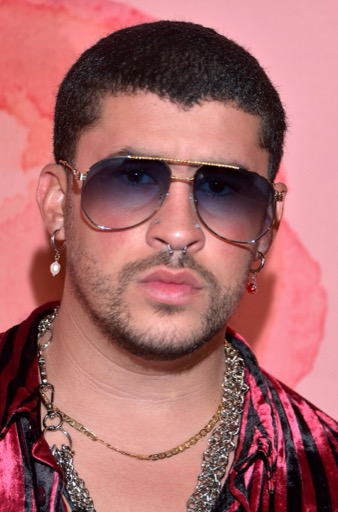
Bad Bunny AI Voice Generator — Free Text to Speech
Type text, play a Bad Bunny-style preview, then generate and download an MP3 in seconds.
Free · No sign-up · Works in your browser
Enter your text
Choose a voice
By clicking Generate you confirm that you have obtained explicit written authorization from the voice owner or provider for any voice you provide, and that you will use the generated audio only for lawful purposes. See our Terms of Use.
Create Bad Bunny-style audio in seconds
Turn text into a Bad Bunny-style clip right in your browser. No install needed — works on desktop and mobile.
- 1
Type
Enter the words you want to hear. Short lines work best for punchy soundbites; longer lines suit narration.
- 2
Preview
Select the Bad Bunny-style voice and play the instant preview clip to check tone, pacing and attitude before generating.
- 3
Generate
Click Generate. Our servers synthesize the Text to Speech (TTS) audio in seconds and return it on the page.
- 4
Play & Download
Listen immediately and download the MP3 file to use in videos, memes, streaming alerts or edits.
Features of the Bad Bunny AI Voice Generator
Quick browser Text to Speech tools for making Bad Bunny-style clips: preview, generate, and grab an MP3 without extra apps.
Free, no account
Use the Bad Bunny AI Voice Generator at no cost and without signing up. Start creating on the page instantly.
Free plan limit
Free users can generate up to 300 characters per generation; upgrade if you regularly need longer clips.
Instant preview
Every voice includes an instant preview clip so you can hear the Bad Bunny-style delivery before you generate the final audio.
MP3 download
Download generated audio as an MP3 file and drop it into TikTok, YouTube, stream overlays or video editors.
Large voice library
Browse 195+ AI voices across Cartoon, Anime, Gaming, Music, Meme, Character and Celebrity categories for alternate vibes.
Pro plan available
A Pro plan raises the per-generation character limit for longer Text to Speech lines.
What creators make with a Bad Bunny-style voice
Real examples from social creators, editors and streamers who use this celebrity-style Text to Speech voice.
TikTok skits and hooks
Add a Bad Bunny-style punchline or chorus hook to short-form video that matches urban rhythm and cadence.
YouTube shorts and intros
Use the voice for quick intros, transitions, or meme segments that need a recognizable flow and attitude.
Gaming alerts and overlays
Drop custom Bad Bunny-style lines into live streams as subscriber alerts, scene switches, or hype clips.
Memes and soundbites
Create shareable one-liners and viral sound clips tailored to trends and remixes.
Voiceovers for edits
Narrate montages and edits with a tuned tone that fits pop and urban production styles.
Why creators pick this Bad Bunny-style tool
Outcomes that save time, cut cost and reduce technical friction when you need a distinct celebrity-style vocal.
Skip recording gear
Get a polished vocal tone without microphones, studios or session time — produce clean audio from your browser.
Iterate faster
Preview alternate lines instantly, generate new takes in seconds, and replace audio without re-recording actors.
Low friction sharing
Download MP3s and embed them in social posts or streams right away — no app installs or exports required.
Creators who use the Bad Bunny-style voice
Typical users and how they apply the voice in their projects.
“I drop a short Bad Bunny-style punchline into montage intros. The preview saves time and the MP3 downloads slot right into edits.”
“Fast Text to Speech lets me test different hooks. I preview, generate, and upload clips in minutes without leaving my phone.”
“I use a Bad Bunny-style alert for subs. It sounds tight, previews instantly, and I never need a recording setup.”
About the Bad Bunny-style voice
The Bad Bunny-style voice captures a relaxed but rhythm-driven delivery: conversational phrasing, syncopated timing, and occasional melodic lift on key words. Fans notice short, clipped lines that fall between spoken word and sing-song hooks, plus a laid-back, playful attitude. Our AI recreation uses voice-cloning Text to Speech (TTS) to model cadence and timbre for short clips and voiceovers. Use the instant preview to check emphasis and tempo before generating an MP3. Label any published audio clearly as Bad Bunny-style so listeners know it’s an AI recreation.
Frequently asked questions
Is the Bad Bunny AI Voice Generator free?
Yes. The Bad Bunny AI Voice Generator is free to use with no sign-up required. You can create and download short Bad Bunny-style clips directly on the page.
How does the Text to Speech process work on this page?
Type your text, choose the Bad Bunny-style voice and play the instant preview. When you click Generate, our servers synthesize the Text to Speech audio (TTS) and return it on the page for playback or MP3 download.
Can I download the generated audio as an MP3?
Yes. Every generated clip can be downloaded as an MP3 file so you can add it to videos, social posts, stream overlays or edits.
What are the character limits and paid options?
Free users can generate up to 300 characters per generation. A Pro plan raises the per-generation character limit for longer TTS lines.
Is it legal to use celebrity-style voices like this?
Laws vary by country. Do not use generated audio to falsely imply endorsement or to impersonate a person. Commercial uses may require permission from rights holders. We recommend clearly labeling published audio as 'Bad Bunny-style' and following platform and local rules; users are responsible for how they use generated content.
How can I tell if a voice is AI?
AI voices tend to have very consistent tone and precise timing. Our site labels all offerings as AI recreations and provides an instant preview so you can compare phrasing. This Bad Bunny-style voice is powered by voice-cloning Text to Speech (TTS).
More voices like Bad Bunny
Try other celebrity-style voices on the site: David Attenborough-style, Donald Trump-style, Drake-style, Kanye West-style, Narendra Modi-style, Amitabh Bachchan-style
This is a fan-made parody tool and is not affiliated with or endorsed by the rights holder; users are responsible for how they use generated audio.