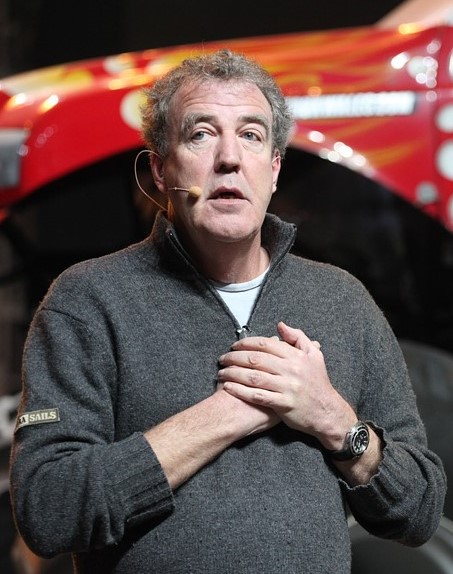
Jeremy Clarkson AI Voice Generator — Free Text to Speech
Type text, play a Jeremy Clarkson-style preview, then generate ready-to-download audio in seconds.
Free · No sign-up · Works in your browser
Enter your text
Choose a voice
By clicking Generate you confirm that you have obtained explicit written authorization from the voice owner or provider for any voice you provide, and that you will use the generated audio only for lawful purposes. See our Terms of Use.
How to make Jeremy Clarkson-style audio online
Create a Jeremy Clarkson-style clip in four quick actions. The page runs the Text to Speech on our servers and returns MP3 audio you can play or download.
- 1
Type your text
Enter the words you want spoken. Use plain sentences — the TTS handles pacing and emphasis for you.
- 2
Pick and preview the voice
Choose the Jeremy Clarkson-style voice and play the instant preview clip to hear the tone before you generate full audio.
- 3
Generate
Click Generate. The text-to-speech runs on our servers and creates the audio in seconds — no app or install required.
- 4
Play or download MP3
Listen on the page, then download the MP3 file for use in videos, memes, voiceovers, or social clips.
Jeremy Clarkson AI Voice Generator features
What you get: a browser-based Jeremy Clarkson-style Text to Speech tool with instant preview, MP3 output, and both free and pro generation limits.
Free and ready in your browser
Use the tool at no cost and without creating an account. Everything runs on the page — no downloads or installs.
Instant preview and fast generation
Every voice includes an instant preview clip. When you Generate, audio is produced on our servers and plays back in seconds.
Downloadable MP3 output
Generated audio is available as an MP3 file you can download and add to videos, podcasts, or social posts.
Free plan and Pro upgrade
Free plan available with short-generation support; Pro raises the per-generation limit and unlocks longer TTS runs for $9.9/month.
Part of a large AI voice library
Access 195+ AI voices across categories like Celebrity, Cartoon, Gaming and Music — all are voice-cloning Text to Speech recreations.
What to make with a Jeremy Clarkson-style voice
Ideas tailored to the Clarkson tone: bold, fast, and a little cheeky.
Car review voiceovers
Narrate test drives, highlights, and punchy comparison clips with a familiar-baritone delivery.
Short form clips for TikTok
Create quick, shareable parody or reaction clips optimized for TikTok and other social feeds.
YouTube intros and channel IDs
Add a distinctive spoken intro to fit automotive or entertainment channels.
Meme audio and reaction soundbites
Produce one-liners and punchlines for memes, shorts, and gaming highlights.
Promo spots and ads
Use the voice for attention-grabbing promo reads and social ads.
Why use this Jeremy Clarkson-style Text to Speech
Get results faster and cheaper than recording live talent.
Save time on recordings
Generate polished voice audio in seconds instead of booking studio time.
Lower production cost
Replace one-off hires for quick clips — create pro-sounding audio without a voice actor.
No technical setup
Work straight in the browser — you don’t need recording gear or software.
Iterate quickly
Edit text and regenerate to test different phrasings until the timing feels right.
Who uses the Jeremy Clarkson AI Voice Generator
Creators who need a bold, automotive-style voice for short media.
“I make quick review intros and the Jeremy Clarkson-style clip nails the tone without booking a session.”
“The preview lets me test jokes fast. I download MP3s and drop them into edits in minutes.”
“I use it for attention-grabbing reads on low-budget promos — no mic, no studio, low cost.”
About the Jeremy Clarkson-style voice
Jeremy Clarkson’s speaking style is known for a dry, blunt baritone, clipped delivery and a confident, observational cadence. The Jeremy Clarkson AI Voice Generator recreates those traits by matching pacing, emphasis and mid-range tone so short lines land with the expected punch. The AI recreation focuses on cadence and rhythmic timing to capture the familiar energy without any extra production steps. Use the Jeremy Clarkson-style voice when you need brisk, opinionated narration or a bold host-style read for video and social content.
Jeremy Clarkson AI Voice Generator FAQ
Is the Jeremy Clarkson AI Voice Generator really free?
Yes — the tool is free to use with no sign-up required for the free plan. You can play previews and generate short clips in your browser at no cost.
How does the Text to Speech (TTS) process work on this site?
Type your text, pick the Jeremy Clarkson-style voice, then click Generate. The TTS runs on our servers, produces audio in seconds, and plays back on the page.
Can I download the generated audio as an MP3?
Yes. Every generated clip can be downloaded as an MP3 file for use in videos, podcasts, social posts or other projects.
What are the character limits and plan options?
The free plan supports shorter generations; the Pro plan raises the per-generation character limit to allow longer TTS output. You can upgrade to Pro for extended runs at $9.9/month.
Can I use the Jeremy Clarkson-style audio for TikTok or commercial projects?
You can use downloaded MP3s in videos and social posts like TikTok. Be mindful of how you use the audio — you are responsible for rights and any required permissions.
Do I need to install anything or use an app?
No installation is required. The Text to Speech works online in desktop and mobile browsers — generate, play and download without an app.
More voices like Jeremy Clarkson
Try other voices on the site: David Attenborough, Donald Trump, Drake, Kanye West, Narendra Modi, Amitabh Bachchan
Fan-made parody tool, not affiliated with or endorsed by the rights holder; users are responsible for how they use generated audio.