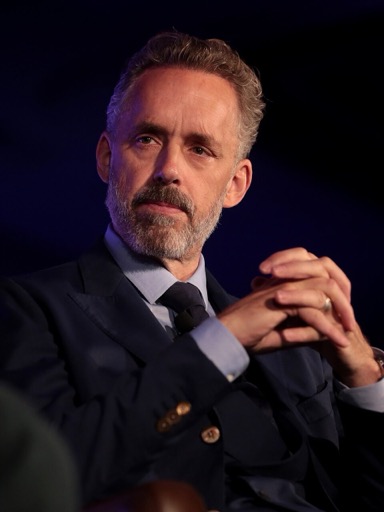
Jordan Peterson AI Voice Generator — Free Text to Speech
Type text, preview the Jordan Peterson-style voice, generate audio in seconds and download MP3.
Free · No sign-up · Works in your browser
Enter your text
Choose a voice
By clicking Generate you confirm that you have obtained explicit written authorization from the voice owner or provider for any voice you provide, and that you will use the generated audio only for lawful purposes. See our Terms of Use.
How to make speech with the Jordan Peterson-style voice
Four quick steps to turn your text into a Jordan Peterson-style audio clip using the browser-based Text to Speech tool.
- 1
Type your text
Enter up to the free plan's limit in the text box on the page. Write the script you want read aloud.
- 2
Pick Jordan Peterson-style
Select the Jordan Peterson-style voice and play the instant preview clip before you generate the full file.
- 3
Generate audio
Click Generate. Our servers produce the AI voice clip in seconds and it plays back on the page.
- 4
Play or download
Listen immediately or download the output as an MP3 file for use in videos, memes, voiceovers, or social clips.
Features of the Jordan Peterson AI Voice Generator
Tools and limits you’ll notice right away when using this Text to Speech (TTS) voice.
100% free, no sign-up
Use the Jordan Peterson AI Voice Generator for free in your browser — no account required to try the voice or play previews.
Works in your browser
No install or app download. Type text, click Generate, and the audio is produced on our servers and plays back on the page.
Instant preview clip
Every voice includes a preview you can play before generating. Hear the Jordan Peterson-style read a sample instantly.
MP3 download
Generated audio is downloadable as an MP3 file for use in videos, podcasts, TikTok posts, or other social content.
Library of 195+ voices
Explore 195+ AI voices across Celebrity, Character, Music, and Meme categories; switch voices without leaving the page.
Pro plan increases length
Free plan allows short generations; upgrade to Pro ($9.9/month) to raise the per-generation limit and create longer TTS clips.
What creators make with the Jordan Peterson AI Voice Generator
Practical uses for this Jordan Peterson-style Text to Speech voice across social and video formats.
Short lecture clips
Create bite-size lecture-style excerpts for YouTube shorts or TikTok using a Jordan Peterson-style narration.
Podcast intros and transitions
Add a distinctive, authoritative-sounding intro or segment voice for podcast episodes and edits.
Memes and reaction audio
Make quick meme lines or reaction clips for Twitter, Reddit, and TikTok; download the MP3 and drop it into your edit.
Educational summaries
Turn dense text into spoken summaries for study videos or social explainer clips with a lecture tone.
Gaming narration & clips
Use the voice for character monologues, montage voiceovers, or comedic commentary in gaming videos.
Social clips for TikTok
Produce short, shareable TTS segments tailored for TikTok trends and captions using the ready-to-download MP3.
Why creators choose this Jordan Peterson-style TTS
Outcomes you get — faster, cheaper, and easier audio production.
Save time on recording
Skip scheduling and recording sessions — generate a ready voiceover in seconds and iterate instantly.
No voice actor needed
Produce a recognizable lecture-style voice without hiring talent or booking studio time.
Low skill barrier
No audio editing experience required: generate, preview, and download an MP3 from the browser.
Fast preview-feedback loop
Preview before you generate to reduce rework and ensure the tone and pacing match your script.
Who uses the Jordan Peterson AI Voice Generator
Realistic scenarios from creators who rely on browser TTS for fast results.
“I mock up a lecture-style punchline in under a minute and drop the MP3 straight into my editor — saves hours.”
“I make quick explainer clips for students. The preview helps me match tone before I download the file.”
“Great for scratch voiceovers and segment intros when guests cancel — works right in the browser with no setup.”
About the Jordan Peterson-style voice
The Jordan Peterson-style TTS aims to capture a direct, measured delivery: deliberate pacing, clear consonants, and an authoritative, conversational tone that suits lecture clips and commentary. The AI recreation models those vocal traits so a short script reads like an emphatic, organized lecture segment. Use the instant preview to check emphasis and timing before you generate the full MP3. This Text to Speech option is best for voiceovers that need steady cadence and a clear instructional feel without re-recording.
Frequently asked questions
Is the Jordan Peterson AI Voice Generator free to use?
Yes — you can use the Jordan Peterson AI Voice Generator for free in your browser with no sign-up. The free flow lets you test the voice, play previews, and download short MP3 outputs.
How does the Text to Speech (TTS) process work here?
Type your script, choose the Jordan Peterson-style voice, and click Generate. Audio is produced on our servers in seconds and plays back on the page as TTS that you can audition or download.
Can I download the generated audio as an MP3?
Yes. Every generated file can be downloaded as an MP3 for use in videos, social posts, and edits.
Are there limits per generation and how can I get longer clips?
The free plan covers short generations. To create longer TTS clips, upgrade to Pro — the upgrade raises the per-generation length allowance.
Can I use this voice for commercial videos and social posts?
You can download and use the MP3 in your projects, but you should confirm rights and platform rules for using celebrity-style voices in commercial content. We don’t provide legal advice; use responsibly.
What if I want to read factual claims like health or politics?
For sensitive topics (medical diagnoses, political positions, or IQ scores), verify facts from credible sources before publishing. The tool converts text to speech accurately but does not fact-check the content you provide.
What is the difference between Text to Speech and TTS here?
They mean the same thing: Text to Speech (TTS) is the process we use to convert your typed script into audio. This generator gives you instant TTS previews and downloadable MP3s.
More voices like Jordan Peterson
Try other celebrity-style voices on AnyAIVoice: David Attenborough, Donald Trump, Drake, Kanye West, Narendra Modi, Amitabh Bachchan.
This is a fan-made parody tool and is not affiliated with or endorsed by the rights holder; users are responsible for how they use generated audio.