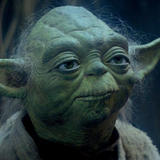
Yoda AI Voice Generator — Free Text to Speech
Type lines, preview the Yoda-style voice, generate audio in seconds and download MP3.
Free · No sign-up · Works in your browser
Enter your text
Choose a voice
By clicking Generate you confirm that you have obtained explicit written authorization from the voice owner or provider for any voice you provide, and that you will use the generated audio only for lawful purposes. See our Terms of Use.
How to make Yoda-style audio
Four quick steps to convert plain text into a Yoda-style clip you can play or download.
- 1
Type your lines
Enter the script you want voiced. Keep it short enough to fit the generation limit shown on the page.
- 2
Pick & preview Yoda-style
Choose the Yoda-style voice and play the instant preview clip to hear the tone and pacing before generating.
- 3
Generate audio
Click Generate. Our servers produce the audio in seconds and send it back to your browser for playback.
- 4
Play or download MP3
Listen in-page or download the MP3 file to use in videos, memes, voiceovers, gaming clips, or social posts.
Yoda AI Voice Generator features
What you get when you use the Yoda AI Voice Generator in your browser.
Instant browser Text to Speech
Type text and get Yoda-style Text to Speech (TTS) audio in seconds — no app, no install. Audio is generated on our servers and plays back on the page.
Preview before you generate
Every voice includes an instant preview clip so you can check delivery and tone before creating the full file.
Free and Pro options
Free usage is available without creating an account. A Pro plan raises the per-generation character limit for longer lines.
Downloadable MP3 output
Generate and download your clip as an MP3 file ready for editing or publishing to social platforms.
Large library of AI voices
Access 195+ AI voices across Cartoon, Anime, Gaming, Music, Meme, Character and Celebrity categories; the Yoda voice is listed as "Yoda-style" and is an AI recreation powered by voice-cloning TTS.
Ways to use the Yoda AI Voice Generator online
Practical ideas for clips made with the Yoda-style voice.
Short-form social clips
Add a Yoda-style narration to TikTok or Instagram Reels for comedic skits, countdowns or reaction videos.
YouTube intros and memes
Create memorable YouTube intros, parody lines, or meme voiceovers that lean on Yoda’s unmistakable cadence.
Game streams and edits
Use the Yoda-style voice for character drops, clips, or highlight reels in game montages and streams.
Voiceovers for fan edits
Add short narration or lines to fan edits, trailers and animated shorts — exportable as MP3 for easy editing.
TikTok transitions & stickers
Record quick Yoda-style prompts for TikTok transitions, sounds, or voice stickers to boost engagement.
Why use the Yoda-style Text to Speech here
Outcomes you get right away — no recording gear, no long waits.
Fast iteration
Generate alternate lines and delivery styles in seconds so you finish edits faster.
No recording equipment
Skip microphones and studios — create clear, consistent Yoda-style audio from text alone.
Low-cost creative testing
Try many lines for free or upgrade for longer generations without paying for studio time.
Publish-ready files
Download MP3s that slot directly into videos, stream overlays, or social uploads.
Who uses the Yoda AI Voice Generator
Creators who make short, shareable media and need quick, character-style audio.
“I mock up quick edits with the Yoda-style voice, download the MP3, and drop it straight into my timeline. Saves hours.”
“The instant preview helps me pick the right delivery for each clip. No gear, no hassle — perfect for fast content.”
“I add character-style lines to NPCs without hiring a voice actor. The audio sounds consistent and fits my builds.”
About the Yoda-style voice
The Yoda-style voice is defined by a thin, reedy timbre, a slightly higher mid-range pitch, and a deliberate, staccato cadence with unusual word order. This AI recreation captures those elements with tuned pacing, breath placement and pitch contour so brief lines carry the same gravitas and whimsy fans expect. Because it’s a character-style TTS recreation, you can hear the distinct phrasing and pause patterns that make the voice recognizable while using the clip in memes, shorts, narration or fan edits.
Questions about the Yoda AI Voice Generator
Is the service free to use?
Yes — the page highlights that the tool is free to try and does not require an account. Use the on-page generator to preview and create clips without signing up.
How does the Yoda AI Voice Generator work?
Type your text, pick the Yoda-style voice, then click Generate. Our servers process the Text to Speech (TTS) request and return playable audio in seconds.
Can I download the generated audio as MP3?
Yes. After generation you can download the clip as an MP3 file for use in videos, social posts, streams or edits.
What are the character limits per generation?
Free usage includes a shorter per-generation character limit; upgrading increases that limit so you can generate longer lines in a single file. See the controls on the generator page for current limits.
Is this a real Yoda actor or an AI clone?
This is an AI recreation: a character-style voice produced with voice-cloning Text to Speech (TTS). The system models tone and pacing—it is not the original actor.
Are there any copyright or usage rules I should know for fan audio?
Use generated clips responsibly. The tool is fan-made and provides character-style audio; avoid claiming official endorsement. For commercial projects check applicable rights and platform rules before publishing.
More voices like Yoda
Try other character-style voices on the site: Analog Horror Reporter, Adam, Darth Vader, Elmo, Batman, c00lkidd.
This is a fan-made parody tool and is not affiliated with or endorsed by the rights holder; users are responsible for how they use generated audio.