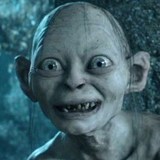
Gollum AI Voice Generator — Free Text to Speech
Type text and get a Gollum-style voice clip in seconds, play it in-page or download MP3.
Free · No sign-up · Works in your browser
Enter your text
Choose a voice
By clicking Generate you confirm that you have obtained explicit written authorization from the voice owner or provider for any voice you provide, and that you will use the generated audio only for lawful purposes. See our Terms of Use.
How to make a Gollum-style clip
Four quick steps to turn text into a Gollum-style audio file using our online Text to Speech (TTS) tool.
- 1
Type your text
Enter the lines you want voiced in the text box on this page.
- 2
Pick Gollum-style
Select the Gollum-style voice from the Character list and play the instant preview to check tone.
- 3
Generate audio
Click Generate — our servers create the audio in seconds and it plays back on the page.
- 4
Play or download
Listen in-browser, then download the MP3 file for use in videos, memes, or voiceovers.
Features of the Gollum AI Voice Generator
Everything you interact with on this page — preview, generation and MP3 download — runs in your browser with no install.
Browser-based Text to Speech
Works right in the page: type text, click Generate, and audio is produced on our servers in seconds and plays back without downloads.
Free plan + Preview
Try the Free plan with an instant preview clip before you generate. The Free plan allows shorter generations with no account needed.
MP3 download
Every generated clip is downloadable as an MP3 file so you can add it to videos, social posts, or game clips.
Library of character voices
Choose from 195+ AI voices across Cartoon, Anime, Gaming, Music, Meme, Character and Celebrity categories — including the Gollum-style option.
Pro option for longer lines
Upgrade to Pro to increase the per-generation character limit and produce longer TTS clips.
What creators make with the Gollum-style voice
Use the Gollum AI Voice Generator for short-form audio made for social, video and gaming clips.
TikTok and Reels skits
Add a short Gollum-style line to a sketch or reaction clip and download the MP3 for editing.
YouTube gaming voiceovers
Add character-style commentary or in-game lines to highlight reels, montages and walkthroughs.
Memes and sound drops
Create quick meme-ready audio you can layer into short videos or share on messaging platforms.
Fan edits and remixes
Produce character-style audio snippets to use in fan-made trailers, remixes, or parody scenes.
Voice lines for roleplay clips
Create short lines for roleplay or character-driven clips in streams and community videos.
Why use this Gollum Text to Speech
Get usable, character-style audio fast without technical setup.
Save time
Generate a ready-to-use voice clip in seconds instead of hiring voice talent or recording yourself.
Keep costs low
Produce character audio for free for quick projects, or pay a small monthly fee for longer lines.
No editing skill needed
Download MP3 audio you can drop straight into your editing timeline.
Who uses the Gollum-style voice
Creators across platforms use this tool for fast, character-style audio.
“I grabbed a quick Gollum-style clip, dropped the MP3 into a montage and uploaded the same day.”
“Previewing the voice before I generate saves me time — I skip bad takes and keep the best lines.”
“No installs, no setup. I generate lines mid-session and paste them into my soundboard.”
About the Gollum-style voice
The Gollum-style voice captures a thin, reedy tone, sudden pitch shifts, and breathy hisses that define the character's delivery. Pacing alternates between urgent, whispered lines and quick, nasally phrases; the voice often drops or rises at emotional beats. Our AI recreation focuses on those traits to produce short lines that read like the character: skittish warmth, clipped emphasis, and occasional guttural syllables. Use the instant preview to fine-tune phrasing before you generate a full MP3.
Questions about the Gollum AI Voice Generator
Is the Gollum AI Voice Generator really free?
You can try the Free plan right on this page without creating an account. The Free plan includes an instant preview and shorter generations; a Pro option increases the per-generation length.
How does the Text to Speech (TTS) process work?
Type your text, pick the Gollum-style voice, then click Generate. Our servers render the TTS audio in seconds and the clip plays back in your browser.
Can I download the audio as an MP3?
Yes. Every generated clip is available to download as an MP3 so you can use it in videos, memes, and social posts.
Do I need to install anything to use this Gollum-style TTS?
No installation or app download is required. The tool runs in desktop and mobile browsers and delivers audio from our servers.
Are there character limits per generation?
Yes. The Free plan allows shorter generations; upgrading to Pro raises the per-generation character limit for longer TTS lines.
Is this AI voice cloning technology?
The voices are AI recreations powered by voice-cloning Text to Speech. Use the Gollum-style preview to confirm tone before you generate and download.
More voices like Gollum
Try related character voices on our site: Analog Horror Reporter, Adam, Darth Vader, Elmo, Yoda, Batman
This is a fan-made parody tool and is not affiliated with or endorsed by the rights holder; users are responsible for how they use generated audio.