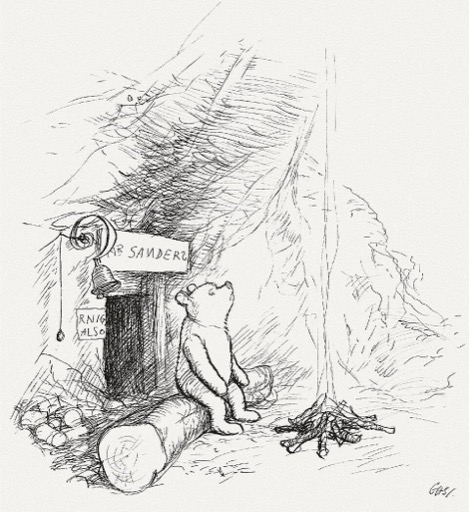
Winnie the Pooh AI Voice Generator — Free Text to Speech
Type a line, hear a Winnie the Pooh-style clip in seconds, play the preview and download MP3 — no sign-up required.
Free · No sign-up · Works in your browser
Enter your text
Choose a voice
By clicking Generate you confirm that you have obtained explicit written authorization from the voice owner or provider for any voice you provide, and that you will use the generated audio only for lawful purposes. See our Terms of Use.
How to use the Winnie the Pooh AI Voice Generator online
Make a clip in four quick steps. The page generates audio on our servers and plays it back so you can listen or download without installing anything.
- 1
Type your text
Enter the exact words you want spoken. Keep lines clear and short for best results.
- 2
Pick the voice and preview
Choose the Winnie the Pooh-style voice and play the instant preview clip to judge tone and pacing before you generate.
- 3
Generate audio
Click Generate. Audio is produced on our servers in seconds and plays back on the page for review.
- 4
Play or download
Listen in the browser, then download an MP3 file for use in videos, memes, or social posts.
What this free Text to Speech tool gives you
Try the Winnie the Pooh AI Voice Generator free in your browser. No install, no account, instant preview and MP3 export.
100% free and no sign-up
Use the generator at no cost and without creating an account. The interface is ready in your browser.
Instant preview and fast output
Every voice includes a short preview clip you can play before generating the full audio, so you hear the result first.
Downloadable MP3
Generated audio is downloadable as an MP3 file you can import into editors, upload to social platforms, or add directly to projects.
Flexible limits — free and Pro options
Free use allows short generations per clip; upgrade to the Pro plan to increase per-generation length and convenience.
Large voice library
Access 195+ character and genre voices across Cartoon, Anime, Gaming, Music and more to match different projects.
AI recreation using text-to-speech
Voices are AI recreations powered by voice-cloning Text to Speech (TTS). We label styles clearly (for example, "Winnie the Pooh-style").
What to make with the Winnie the Pooh voice
Fast, friendly, and recognizable — great for short social audio and character clips.
Short TikTok and Reels clips
Add a Winnie the Pooh-style line to TikTok or Instagram videos for comedy, reactions, or fan edits.
YouTube shorts and intros
Create a themed intro or mascot line for kids’ sketches, review channels, or nostalgia videos.
Memes and social posts
Make quick voiceover memes that pair the voice with images, screenshots, or gameplay moments.
Birthday greetings and messages
Record playful, character-style birthday lines or greetings to share with friends and family.
Voiceovers for fan videos
Use the voice for narration or character dialogue in fan edits, parodies, and short productions.
Why creators choose this Text to Speech tool
Get character-style audio without recording gear or long setup.
No recording equipment
Skip microphones and sound booths—generate clean voice clips right from the browser with TTS.
Fast iteration
Make edits and re-generate lines in seconds to refine timing and delivery for videos or memes.
Save time and cost
Produce character-style audio without hiring voice talent or spending on studio time.
Creators who use the Winnie the Pooh-style voice
Practical examples from everyday creators.
“I add quick Pooh-style one-liners to reaction videos — it saves time and the preview clip helps me nail the timing.”
“I made a short, playful greeting as an MP3 and sent it to family. No recording fuss and it sounded just right.”
“I test several lines with the preview, pick the best take, and download the MP3 for my Reels edits.”
About the Winnie the Pooh-style voice
The Winnie the Pooh-style voice emphasizes a warm, gentle tone, measured pacing, and soft consonants that convey amiable curiosity. Character-style delivery favors calm phrasing and a slightly round vocal quality with light, expressive inflections. Our AI recreation models those traits so short lines keep the familiar rhythm and friendly cadence fans expect. This is a voice-cloning Text to Speech recreation labeled clearly as "Winnie the Pooh-style" so you know the intended character style before generating.
Frequently asked questions
Is the Winnie the Pooh AI Voice Generator really free?
Yes. The Winnie the Pooh AI Voice Generator is free to use in the browser without creating an account. A paid Pro plan is available if you need longer per-clip generations.
How does the text to speech process work?
Type your text, pick the Winnie the Pooh-style voice, play the preview, then click Generate. The TTS conversion runs on our servers and the audio plays back on the page in seconds.
Can I download the audio as an MP3 file?
Yes. Every generated clip can be downloaded as an MP3 for use in videos, memes, games, or social posts.
What are the character limits and upgrade options?
Free users can generate short clips per attempt. Upgrading to Pro raises the per-generation character limit. Check the plan panel on the page for current limits and options.
Can I use generated audio in TikTok or other social platforms?
Yes — the MP3 download and browser playback make it easy to add clips to TikTok, Reels, YouTube shorts or other platforms. Always follow the platform rules and community guidelines when posting.
Is this an official or endorsed tool?
This is a fan-made AI voice recreation tool. It is not affiliated with or endorsed by any rights holder. Users are responsible for how they use generated audio and should respect copyright and platform policies.
What does TTS mean and is it safe for production?
TTS stands for text-to-speech. Our TTS pipeline uses voice-cloning models to create character-style lines quickly; creators commonly use the output for drafts, memes, and finished social clips when they control usage rights.
More voices like Winnie the Pooh
Try other character-style voices: SpongeBob, Peter Griffin, Mickey Mouse, Bakugo, Bluey, Deku
Fan-made parody tool, not affiliated with or endorsed by the rights holder; users are responsible for how they use generated audio.