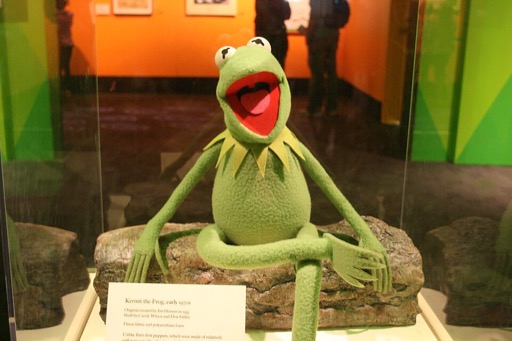
Kermit the Frog AI Voice Generator — Free Text to Speech
Generate Kermit-style audio in seconds right in your browser — type, preview, then play or download.
Free · No sign-up · Works in your browser
Enter your text
Choose a voice
By clicking Generate you confirm that you have obtained explicit written authorization from the voice owner or provider for any voice you provide, and that you will use the generated audio only for lawful purposes. See our Terms of Use.
How to make Kermit-style audio online
Create a clip in four quick actions. Every voice has an instant preview so you can hear results before you generate.
- 1
Type your text
Enter the lines you want spoken. Short jokes, catchphrases or narration all work.
- 2
Pick & preview
Choose the Kermit-style voice and play the instant preview clip to check tone and pacing.
- 3
Generate
Click Generate — our servers produce the audio in seconds and return it to the page.
- 4
Play or download
Listen in the browser, then download the MP3 for editing, posting or reuse.
Kermit the Frog AI Voice Generator features
Fast, browser-based Text to Speech with an instant Kermit-style preview and MP3 download.
Completely free and ready now
Use the Kermit the Frog AI Voice Generator at no cost and without creating an account.
Works in your browser
No app, no install. Type text, click Generate, and audio plays back on the page from desktop or mobile.
Preview and MP3 download
Every voice includes an instant preview clip you can play before generating. Generated audio is downloadable as an MP3 file.
Voice-cloning Text to Speech (TTS)
The site uses AI voice-cloning Text to Speech so the Kermit-style tone, timing and phrasing come through clearly.
Free and Pro generation limits
The free mode lets you generate short lines instantly; a Pro option expands the per-generation character limit for longer scripts.
What to make with a Kermit-style voice
Ideas that fit this Cartoon-style voice — great for short-form content and character moments.
TikTok and Reels clips
Record quick character sketches or reaction lines using the Kermit-style voice for short social videos.
YouTube memes and edits
Add a recognizable Kermit-style line to a montage, reaction edit, or meme compilation.
Game streams and voiceovers
Use short Kermit-style cues for stream intros, alerts, or character commentary.
Short animated narration
Give a cartoon segment a familiar-sounding narrator for comedy beats and sketches.
Sound design for social clips
Download the MP3 and drop it into your editor for fast, shareable audio moments.
Why creators pick this voice
Get fast, usable audio that saves time and skill while keeping a character feel.
Finish edits faster
Generate ready-to-use audio in seconds and drop the MP3 into your timeline — no recording gear needed.
Spend less on voice work
Skip hiring or studio time for short clips and memes; create voiceovers directly in the browser.
Accessible for any skill level
Type text and get a polished Kermit-style line without voice acting experience.
Who uses the Kermit the Frog voice
Creators who need quick, character-style audio for social and video work.
“I drop a Kermit-style line into reaction montages — it saves time and sounds the part without complex editing.”
“Instant preview means I know if a take works before I generate. MP3 download is perfect for quick uploads.”
“I use character-style cues for alerts and transitions. It’s fast, browser-based and easy to swap lines live.”
About the Kermit-style voice
The Kermit-style delivery is defined by a midrange, slightly nasal tone, warm phrasing, and a loose, conversational pace. This AI recreation focuses on those elements: gentle rises at phrase ends, short bursts for punchlines, and the familiar cadence fans expect. The Kermit the Frog AI Voice Generator recreates that voice profile using voice-cloning Text to Speech (TTS) so lines sound character-driven and natural for short clips, memes, and voiceovers. Use the instant preview to tune phrasing and pacing before you generate and download the MP3.
FAQs about the Kermit the Frog AI Voice Generator
Is the Kermit the Frog AI Voice Generator free to use?
Yes. The tool is free to use with no sign-up required. You can generate short lines and play them in your browser immediately.
How does the Text to Speech (TTS) generator work?
Type your text, choose the Kermit-style voice, then click Generate. Our servers create the TTS audio in seconds and return it to the page for playback or download.
Can I download the audio as an MP3?
Yes. Every generated clip can be downloaded as an MP3 for editing, uploads or reuse in videos and social posts.
Why does Kermit sound different in 2026?
Voices change in media and fan perception over time. The Kermit the Frog AI Voice Generator reproduces the signature tone and pacing it was trained on, but small differences can arise from recording sources or the TTS rendering.
How long can I make each generation? Are there limits?
The free mode supports short generations; a paid option raises the per-generation character limit for longer scripts. Check the generation box on the page to see the exact limits or upgrade prompt.
Is there an AI voice for Mickey Mouse or other characters?
We offer a large library of 195+ character and cartoon-style voices. Search the site for names like Mickey Mouse, SpongeBob or others, and use the instant preview to compare tones.
Can I use generated audio commercially?
You control how you use generated audio. This is a fan-made character-style tool; respect platform rules and third-party IP when publishing or monetizing clips.
More voices like Kermit the Frog
Try other character voices: SpongeBob, Peter Griffin, Mickey Mouse, Bakugo, Bluey and Deku.
This fan-made parody tool is not affiliated with or endorsed by the rights holder; users are responsible for how they use generated audio.