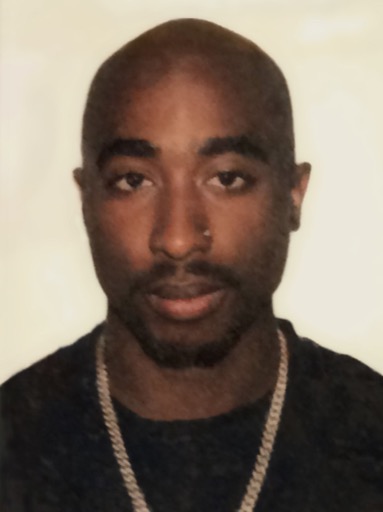
Tupac Shakur AI Voice Generator — Free Text to Speech
Create realistic Tupac-style audio from plain text in seconds.
Free · No sign-up · Works in your browser
Enter your text
Choose a voice
By clicking Generate you confirm that you have obtained explicit written authorization from the voice owner or provider for any voice you provide, and that you will use the generated audio only for lawful purposes. See our Terms of Use.
How it works — make Tupac-style audio right in the browser
Four quick steps: enter text, choose a Tupac-style voice preview, generate the audio, then play or save the file.
- 1
Type your text
Enter the lyrics, line, or script you want turned into audio directly on the page.
- 2
Pick and preview
Choose a Tupac-style voice and play the instant preview clip to check tone and pacing before you generate.
- 3
Generate
Click Generate. Our servers create the audio in seconds and return it to the page.
- 4
Play or download
Play the result in your browser and download the generated audio as a file to use in videos and social clips.
Tupac Shakur AI Voice Generator features
Everything you need to make Tupac-style voiceovers and clips without installs or complex tools.
Instant preview clips
Every voice includes a built-in preview you can play before you generate a full clip.
Free and upgrade options
Use the free plan in-browser with no account required. Upgrade to Pro ($9.9/month) to raise the per-generation character limit.
195+ AI voices and voice-cloning TTS
Access a library across Cartoon, Anime, Gaming, Music and Celebrity categories. Voices are AI recreations powered by voice-cloning Text to Speech (TTS)—Tupac-style options included.
Fast, in-page workflow
Type, preview, generate and play audio right on the page — no downloads or extra apps are needed to start.
Ready for social and video
Output is suitable for video narration, memes, voiceovers, gaming clips and short social content.
What people make with a Tupac Shakur AI Voice Generator
Ideas specific to this voice and fandom.
Fan tributes and remixes
Create spoken-word intros, outro drops, or tribute lines in a Tupac-style voice for remix videos and tribute edits.
Short-form social clips
Make TikTok or Instagram reels with a Tupac-style hook or spoken line to match visuals and beats.
Podcast intros and voiceovers
Add a distinctive Tupac-style opening line or interlude to fan podcasts or commentary shows.
Memes and sound effects
Generate quick lines for meme soundbeds, reaction clips, or comedic edits.
Gaming mods and character lines
Produce short character cues or hub lines for mods and fan-made game content.
Why use this Tupac-style Text to Speech
Clear outcomes you’ll notice right away.
Fast results
Turn text into usable audio in seconds — no recording sessions or talent scheduling.
Low-cost creation
Make lines and voiceovers without hiring voice talent or renting studio time.
Easy for anyone
No audio editing skills required: preview, generate, and place the clip into your project.
Works on desktop and mobile
Start and finish a clip from phone or laptop without extra software.
Who uses the Tupac Shakur voice
Real creator types who get quick wins with this voice.
“I dropped a two-line Tupac-style intro into my sketch video in under five minutes — it tightened the edit and landed more views.”
“The instant preview let me try a few phrasings fast. I picked the best clip and published without extra mixing.”
“I use the voice for short intros and callouts. It’s cheaper and faster than hiring a session artist every episode.”
About the Tupac-style voice
The Tupac-style recreation focuses on a mid-range, slightly gritty tone with deliberate phrasing and a conversational cadence. Key traits are measured delivery, rhythmic emphasis on punchlines, and a warm rasp that cuts through a beat. Our AI models mirror those elements so generated lines carry similar pacing and attitude while letting you control wording and emphasis. This is an AI-powered voice-cloning Text to Speech recreation — use the Tupac-style preview to quickly judge whether the tone fits your clip before you generate.
Frequently asked questions
Is the Tupac Shakur AI Voice Generator free to use?
Yes — you can use the generator in your browser for free with no sign-up. A paid Pro plan is available to raise per-generation limits.
How does the Text to Speech (TTS) process work?
Type your text, choose a Tupac-style voice and click Generate. The page sends the request to our servers, which produce the TTS audio in seconds and return it for playback in your browser.
Can I download the audio file?
Yes — once generated you can download the produced audio as a file for use in videos and social posts.
What are the character limits and upgrade options?
The free plan allows up to 300 characters per generation. Upgrading to Pro raises that limit to 1000 characters per generation.
Are these human recordings or AI recreations?
These are AI-created voice-cloning Text to Speech (TTS) outputs modeled to match a Tupac-style delivery. Play the instant preview to check quality before generating a full clip.
Any usage or copyright cautions?
Generated audio is for use in videos, memes, and social content, but users are responsible for ensuring their use complies with applicable laws and platform rules when creating content that references real public figures.
More voices like Tupac Shakur
Try other voices fans like: Billie Eilish, Taylor Swift, Ariana Grande, Morgan Freeman, Cristiano Ronaldo, Gojo
This is a fan-made parody tool and is not affiliated with or endorsed by the rights holder; users are responsible for how they use generated audio.