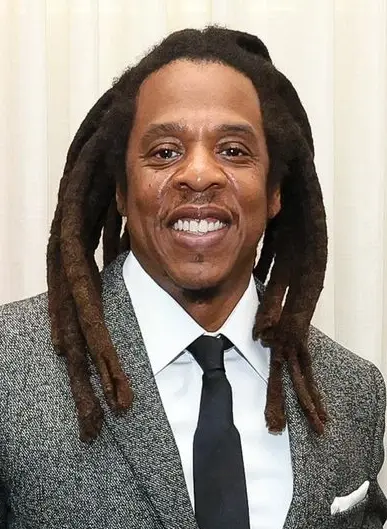
Jay-Z AI Voice Generator — Free Text to Speech
Type a line, play a Jay-Z-style preview, then generate an MP3 in seconds in your browser.
Free · No sign-up · Works in your browser
Enter your text
Choose a voice
By clicking Generate you confirm that you have obtained explicit written authorization from the voice owner or provider for any voice you provide, and that you will use the generated audio only for lawful purposes. See our Terms of Use.
Make a Jay-Z-style clip in seconds
Create speech that matches Jay-Z’s cadence without downloads. Works on desktop and mobile.
- 1
Type your text
Enter the exact words you want the Jay-Z-style voice to speak. Short lines work best for rap-style delivery.
- 2
Pick the Jay-Z-style voice
Play the instant preview clip to check tone and pacing. Every voice has a preview before you generate.
- 3
Generate audio
Click Generate. Our servers produce the Text to Speech audio in seconds and return it on the page (TTS runs server-side).
- 4
Play or download
Listen in the player, then download the MP3 file for use in videos, memes, streams or social posts.
Jay-Z AI Voice Generator Features
Fast, browser-based Text to Speech built for creators. No install, instant preview and MP3 output.
100% free to try
Use the Jay-Z AI Voice Generator in your browser with no sign-up required. The free option gets you started immediately.
Works right in the browser
Type, preview and generate without downloads. Audio is produced on our servers in seconds and plays back on the page (TTS handled server-side).
Instant preview clips
Every voice includes a short preview so you can hear the Jay-Z-style delivery before you generate a full file.
MP3 download
Generated audio is downloadable as an MP3 ready for TikTok, YouTube, streams and social posts.
Plans and generation limits
Free plan: up to 300 characters per generation with no account. Pro plan raises the per-generation limit to 1000 characters for a monthly fee.
Large voice library
Access 195+ AI voices across Music, Character, Gaming and more — select the Jay-Z-style voice from the Music category.
What creators make with the Jay-Z-style voice (for TikTok, videos, memes)
Designed for short-form and social content that needs a confident, rhythmic vocal.
Song covers and parody bars
Write new lyrics or parody lines and render them in a Jay-Z-style vocal for covers or mashups.
TikTok drops and hooks
Create catchy intros, drops and callouts formatted for TikTok and Reels.
YouTube intros and voiceovers
Add a punchy, branded intro to videos or use the voice for animated narration.
Gaming clips and stream stingers
Make short stingers, hype clips and in-stream cues that match Jay-Z-like cadence.
Memes and social audio
Produce shareable one-liners and memes with clear MP3 output ready to post.
Benefits of using a Jay-Z-style TTS voice
Save time and lower skill barriers while getting broadcast-ready audio.
Fast production
Generate usable audio in seconds instead of booking studio time or recording multiple takes.
No recording skills needed
Create professional-sounding voice tracks without a microphone or vocal training — TTS handles delivery and timing.
Free entry, pro upgrade
Start free with a working clip, upgrade only if you need longer per-generation text.
Ready-to-upload MP3s
Download MP3s that are immediately compatible with social platforms and editing tools.
Creators using the Jay-Z-style voice
Real creator types who reach for this voice for quick, bold audio.
“I drop a two-line hook, generate the Jay-Z-style clip and drop the MP3 into my edit — saves hours of re-records.”
“Previewing the voice lets me tweak the line until it hits. TTS speeds up the whole trend-creation process.”
“No studio, no mic setup. I grab the Jay-Z-style voice, download the MP3 and my intro is ready.”
About the Jay-Z-style voice
The Jay-Z-style voice recreates traits fans notice first: a warm, authoritative low-mid timbre, deliberate pacing, and a tight, rhythmic phrasing that emphasizes punchlines. Delivery often pauses to let a bar land, with measured breath control and crisp consonants that cut through a beat. Our AI model focuses on those signature elements — tone, cadence and timing — so short lines keep their flow and longer lines retain natural emphasis. This voice works best for hooks, drops and spoken-word passages where rhythm and presence matter most.
Jay-Z AI Voice Generator — FAQ
Is the Jay-Z AI Voice Generator free to use?
Yes. The tool is free to try in your browser with no sign-up required. The free option gives instant access so you can preview and generate short clips.
How does the Text to Speech process work?
Type your text, select the Jay-Z-style voice and click Generate. Our servers run the TTS model and return audio on the page within seconds; you can play the preview before generating a full file.
Can I download the audio as an MP3?
Yes — generated files are downloadable as MP3. Use the MP3 download to add audio to TikTok, YouTube, edits or streams.
Can I use generated audio on TikTok, YouTube or other social platforms?
The output is suitable for videos, memes, voiceovers and gaming clips. Creators should confirm platform rules and any rights they need for commercial projects before publishing.
What are the character limits and upgrade options?
The free plan supports up to 300 characters per generation. A Pro plan raises the per-generation limit to 1000 characters for users who need longer lines.
Is this the real Jay-Z voice or endorsed by him?
This product provides an AI recreation labeled as a Jay-Z-style voice for creative use. Check permissions and clearances if you plan to use audio in commercial or licensed projects.
More voices like Jay-Z
Try other popular voices on the site: Billie Eilish, Taylor Swift, Ariana Grande, Morgan Freeman, Cristiano Ronaldo, Gojo
This is a fan-made parody tool and is not affiliated with or endorsed by the rights holder; users are responsible for how they use generated audio.