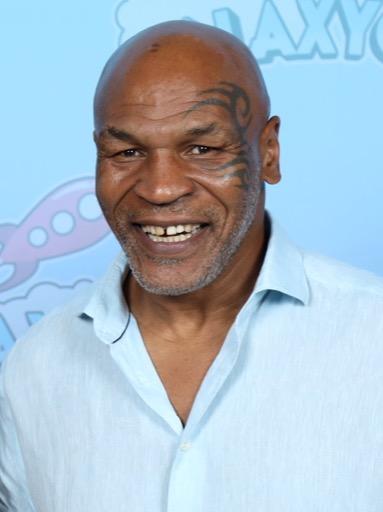
Mike Tyson AI Voice Generator — Free Text to Speech
Type text, play a Mike Tyson-style preview, generate audio and download an MP3 in seconds.
Free · No sign-up · Works in your browser
Enter your text
Choose a voice
By clicking Generate you confirm that you have obtained explicit written authorization from the voice owner or provider for any voice you provide, and that you will use the generated audio only for lawful purposes. See our Terms of Use.
How to make a Mike Tyson-style clip
Create audio in four quick steps — no install, no account, works on desktop and mobile browsers.
- 1
Type your text
Enter the words you want the voice to say. Short lines work best for quick clips; longer lines are supported on paid plans.
- 2
Choose Mike Tyson-style
Pick the Mike Tyson-style voice and play the instant preview to hear the tone and pacing before you generate.
- 3
Generate audio
Click Generate. Our servers produce a Text to Speech audio file in seconds and play it back directly on the page.
- 4
Play or download
Listen in the browser, tweak your text, then download the MP3 to use in videos, memes, or social posts.
Mike Tyson AI Voice Generator features
Tools and limits you’ll actually use, all in your browser.
Free and instant
100% free to use with no sign-up required. Play samples and generate short clips right away in your browser.
In-browser Text to Speech
Type text, click Generate and the AI Text to Speech runs on our servers. Audio is produced in seconds and plays back on the page.
Preview before you generate
Every voice includes an instant preview clip so you can hear the Mike Tyson-style read before creating the final file.
MP3 download ready
Generated audio exports as an MP3 you can download and drop into video editors, TikTok uploads or game clips.
Large voice library
Access 195+ AI voices across Celebrity, Gaming, Cartoon and Music categories to pair with the Mike Tyson-style voice.
No install, mobile-friendly
No app or software needed — works on desktop and mobile browsers so you can create online from anywhere.
What people make with a Mike Tyson-style voice
Ideas tailored to this voice’s energy and tone.
Sports highlights and intros
Add a punchy Mike Tyson-style intro to highlight reels, boxing clips or workout videos for instant attention.
TikTok and short social skits
Create quick meme lines and punchlines formatted for TikTok or Instagram Reels with an unmistakable delivery.
Gaming clips and trash-talk
Use TTS voiceovers for competitive clips, funny callouts, or character announcements in gaming montages.
Podcast bits and parody sketches
Drop short lines into sketches or episode intros where a bold celebrity-style voice makes the segment pop.
Voiceovers for ads and promos
Record short promo hooks and ad reads in a gritty, commanding style for social ads or sponsor reads.
Why use this Mike Tyson-style Text to Speech
Outcomes that save time, money and editing hassle.
Fast production
Generate usable audio in seconds; no studio, mic or actor booking required.
Lower cost for content
Create voiceovers and social clips without hiring voice talent or buying equipment.
Simple for non-editors
Easy playback, instant preview and MP3 download let creators of any skill level add polished voice lines.
Consistent character energy
The Mike Tyson-style delivery keeps tone and pacing steady across clips for cohesive series or shorts.
Who uses the Mike Tyson AI Voice Generator
Real creator types who get results quickly.
“I add a short Mike Tyson-style punchline to reaction videos — the preview helps me nail the delivery before I download the MP3.”
“Quick to use on my phone. I type a line, generate, and post — no recording setup required.”
“I use TTS clips for in-game announcements. It’s fast, consistent and fits into my edit workflow.”
About the Mike Tyson-style voice
The Mike Tyson-style voice is recognizable for a low, gravelly tone, clipped pacing and forceful delivery on key lines. It often uses short bursts of words and a conversational rush that emphasizes punchlines and impact phrases. Our AI recreation models those qualities with voice-cloning Text to Speech so the output keeps the same cadence and energy across clips. You’ll hear the same aggressive bite and quick breaths that make the voice stand out, delivered as downloadable MP3s for use in videos, memes and other social content.
FAQ — Mike Tyson AI Voice Generator & Text to Speech
Is the Mike Tyson AI Voice Generator free to use?
Yes. The basic tool is free to use with no account or sign-up required. You can play previews and generate short clips directly in your browser.
How does the Text to Speech (TTS) generation work?
Type your text, select the Mike Tyson-style voice, and click Generate. Our servers render the TTS audio in seconds and play it back on the page — no downloads or installs needed.
Can I download the generated audio as an MP3?
Yes. Every generated clip can be downloaded as an MP3 for use in videos, TikTok posts, game clips or editing projects.
What are the character limits and plan options?
The free plan supports shorter generations and works without an account; a Pro plan raises the per-generation character limit if you need longer TTS outputs.
Is this an exact recording of Mike Tyson?
No. Voices are AI recreations powered by voice-cloning Text to Speech and labeled as Mike Tyson-style. This tool creates a stylistic recreation, not an original recording by the person.
Can I use generated audio online or in commerce?
Generated audio is suitable for videos, memes, voiceovers, gaming clips and social content. Users are responsible for how they publish and distribute their clips and must follow platform rules.
More voices like Mike Tyson
Try other celebrity-style voices like David Attenborough, Donald Trump, Drake, Kanye West, Narendra Modi and Amitabh Bachchan.
This is a fan-made parody tool and is not affiliated with or endorsed by the rights holder; users are responsible for how they use generated audio.