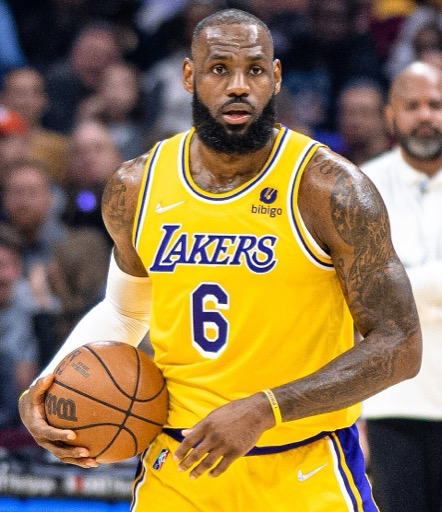
LeBron James AI Voice Generator — Free Text to Speech
Type a line, hear a LeBron-style clip in seconds, then play or download the MP3 — all in your browser.
Free · No sign-up · Works in your browser
Enter your text
Choose a voice
By clicking Generate you confirm that you have obtained explicit written authorization from the voice owner or provider for any voice you provide, and that you will use the generated audio only for lawful purposes. See our Terms of Use.
How it works
Create LeBron-style audio from text in four quick steps. No install, no account — the page handles generation and playback.
- 1
Type your text
Enter the line you want spoken. The editor accepts plain text and works on desktop and mobile browsers.
- 2
Preview the LeBron-style clip
Every voice includes an instant preview. Play a short sample to check tone and pacing before you generate.
- 3
Generate
Click Generate and our servers run the Text to Speech model. The TTS produces audio in seconds and returns it to the page.
- 4
Play or download MP3
Listen inside the browser or download the MP3 file for editing, social clips, or video projects.
LeBron James AI Voice Generator Features
All tools run in the browser. Play previews, generate MP3s, and use the output in videos, memes, or voiceovers.
Free to try, no account
Use the free generator without signing up. The tool runs in your browser so you can test instantly.
Free and Pro plans
Free plan supports short generations; upgrade to Pro ($9.9/month) to raise the per-generation character limit and make longer lines.
Instant preview and quick TTS
Play a preview clip before generating full audio. Our Text to Speech pipeline creates results in seconds so you can iterate fast.
Downloadable MP3
Every generated file is available as an MP3 you can download and drop into editors for TikTok, YouTube, or montage clips.
Large voice library
Choose from 195+ AI voices across Celebrity, Character, Music and more. Pick a LeBron-style option and tweak your text.
No install, works on any device
No app or software to install. The generator runs in-browser on desktop and mobile so you can create anywhere.
What creators make with a LeBron-style voice
This voice fits sports, hype, and fan content. Use the MP3 output in any editor or social app.
Highlight reel narration
Add a LeBron-style voiceover to game clips or season highlights to boost energy and focus the viewer.
TikTok and Reels hype
Create short hype lines or punchy hooks for TikTok videos, Instagram Reels, and Twitter clips.
Fan messages and shoutouts
Make birthday pep talks, roast lines, or fan tributes using the familiar cadence and tone.
Podcast intros and segues
Use a LeBron-style intro for sports segments, talk shows, or reaction videos to set the mood.
Gaming clips and stream stingers
Drop the MP3 into highlights and streams for instantly recognizable hype moments.
Why use this LeBron-style AI voice
Fast, low-friction audio that fits social and video workflows.
Save production time
Generate polished voice lines in seconds instead of scheduling voice actors or recording sessions.
Cost-effective experiments
Try sounds and lines for free before committing budget to a final track or pro plan.
Lower editing skill needed
Download ready-to-use MP3s that slot into editors with no extra processing.
Consistent tone on repeat
Use the same LeBron-style voice across clips for a consistent series or campaign voice.
Who uses the LeBron James AI Voice Generator
From meme makers to content producers, this tool suits anyone who needs quick, shareable sports-style audio.
“I drop a generated MP3 into highlight reels for a consistent hype voice that matches the footage.”
“Fast previews let me test lines quickly. I make several versions and pick the best for reels.”
“We used a LeBron-style clip for a campaign teaser — no studio, just generate and upload the MP3.”
About the LeBron-style voice
This LeBron-style voice emphasizes a low, confident tone, measured pacing, and high-energy delivery on punchlines. The AI recreation focuses on breath placement, rhythm, and the speaker’s signature emphasis on key words to capture that motivational, on-court vibe. Our model uses voice-cloning Text to Speech to synthesize those qualities so previews sound familiar to fans. The result works well for short lines, hype hooks, and narration that needs a strong, sports-focused presence without extra production.
Common questions
Is the LeBron James AI Voice Generator free to use?
Yes. You can use the free generator in your browser without creating an account. The site also offers a Pro plan to raise the per-generation character limit.
How does this Text to Speech tool work?
Type your text, play the instant preview, then generate. Our servers run the TTS model and return an audio file you can play on the page or download as MP3.
Can I download the audio as an MP3?
Yes. Every generated clip is downloadable as an MP3 so you can import it into editors for TikTok, YouTube, or other projects.
How do I make a LeBron AI speaking video for TikTok?
Generate and download the MP3 from the LeBron James AI Voice Generator, then import the file into your video editor or phone app and sync it to your footage.
What is LeBron AI and who uses it?
LeBron AI refers to a LeBron-style text-to-speech recreation. Creators use it for fan content, highlights, ads, and short-form clips that need a sports hype voice.
How can I tell if a voice is AI-generated?
AI TTS often shows perfect consistency of tone and pacing and may lack small natural variances you hear in live recordings. Use the preview to compare; our tool labels voices as AI recreations powered by voice-cloning TTS so you know the source.
What are the generation limits?
The free plan supports short generations in the browser; Pro raises the per-generation character limit. Choose the plan that fits your script length.
More voices like LeBron James
Try other voices: David Attenborough-style, Donald Trump-style, Drake-style, Kanye West-style, Narendra Modi-style, Amitabh Bachchan-style.
This is a fan-made parody tool and is not affiliated with or endorsed by the rights holder; users are responsible for how they use generated audio.