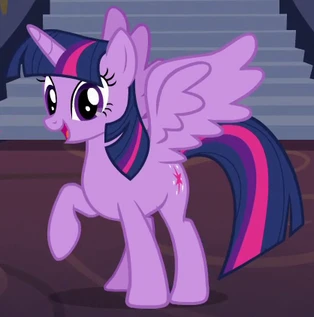
Twilight Sparkle AI Voice Generator — Free Text to Speech
Type text, play a Twilight Sparkle-style preview, then generate MP3 audio in seconds.
Free · No sign-up · Works in your browser
Enter your text
Choose a voice
By clicking Generate you confirm that you have obtained explicit written authorization from the voice owner or provider for any voice you provide, and that you will use the generated audio only for lawful purposes. See our Terms of Use.
How to create Twilight Sparkle-style audio
Turn text into a Twilight Sparkle-style clip using our browser Text to Speech tool. No install — try a preview and download the MP3 in seconds.
- 1
Enter your text
Type or paste the line you want spoken. Short lines preview instantly; longer text generates quickly on our servers.
- 2
Choose the voice
Select the Twilight Sparkle-style voice from the Cartoon list. Every voice shows an instant preview clip you can play before generating.
- 3
Generate the TTS audio
Click Generate — our servers synthesize the Text to Speech (TTS) audio and return an MP3 file to play on the page.
- 4
Play or download
Listen on-page, tweak the text if needed, then download the MP3 to use in videos, memes, or fan projects.
Twilight Sparkle AI Voice Generator features
What you get when you make Twilight Sparkle-style audio with our Text to Speech browser tool.
Free tier with no sign-up
Use the free option in your browser — no account required. The free plan supports up to 300 characters per generation.
Pro plan for longer lines
Upgrade to Pro ($9.9/month) to raise the per-generation limit to 1,000 characters when you need longer TTS passages.
Instant preview before you generate
Every voice includes a ready preview clip so you can check tone and pacing before creating the final MP3.
Downloadable MP3 output
Generated audio is returned as an MP3 file you can download and use in videos, streams, or social posts.
Large library of character-style voices
Browse 195+ AI voices across Cartoon, Anime, Gaming and more — find Twilight Sparkle-style and other character-style options.
Works in any browser, no app needed
Everything runs on the page: type, preview, generate and download on desktop or mobile without installation.
What creators make with a Twilight Sparkle-style voice
Practical projects where this character-style TTS fits best.
Fan dubs and short animations
Add a Twilight Sparkle-style line to fan scenes and animated shorts without recording a voice actor.
TikTok and Instagram Reels
Create short, shareable clips using the Twilight Sparkle-style tone for character bits and punchlines.
Memes and skit voiceovers
Produce quick meme voiceovers or character reactions — generate and download the MP3 in seconds.
Podcast gags and stream drops
Use short Twilight Sparkle-style lines for recurring bits, intros, or in-stream sound effects.
Game clips and machinima
Add character-style narration to gameplay highlights, fan mods, or edited montages.
Benefits of using this Twilight Sparkle Text to Speech
How the tool improves your workflow and reduces friction.
Speed up production
Generate usable character-style audio in seconds so you can iterate dialogue and finish edits faster.
Cut costs on voice talent
Avoid studio time or hiring for small clips — produce believable lines without extra equipment.
No technical setup
Works in your browser so you can test lines and publish audio without learning new software or installs.
Who uses the Twilight Sparkle AI Voice Generator
Creator types who rely on quick, character-style TTS to ship content.
“I drop a Twilight Sparkle-style line into edits and have a finished gag in minutes. No mic or studio — just generate and export the MP3.”
“The instant preview helps me match emotion to frames. I tweak dialogue, generate the TTS clip, then download the audio for the timeline.”
“I use short TTS clips live as cut-ins. It keeps the stream moving and sounds consistent across episodes.”
About the Twilight Sparkle-style voice
The Twilight Sparkle-style voice is recognized for clear diction, a bright mid-range tone, and a measured, slightly earnest pacing that suits studious or helpful lines. Our AI recreation is designed to approximate that tone and rhythmic energy so short lines and narrations feel familiar to fandom listeners. Use the instant preview to confirm emphasis, speed, and emotion before you generate the final MP3 — that preview shows how the TTS will handle your phrasing and helps you tweak wording for the best result.
Frequently asked questions about the Twilight Sparkle voice
Is the Twilight Sparkle AI Voice Generator really free?
Yes — a free tier is available with no sign-up required. The free option supports up to 300 characters per generation; upgrade to Pro ($9.9/month) if you need the 1,000-character limit.
How does the Text to Speech process work?
Type your text, choose the Twilight Sparkle-style voice, play the instant preview, then click Generate. Our servers synthesize the TTS audio and return an MP3 that plays on the page.
Can I download the generated audio as an MP3?
Yes. Every generated clip is downloadable as an MP3 file so you can import it into editors, add it to videos, or upload to social platforms.
Can I use the generated audio commercially or in public videos?
The output is suitable for videos, memes, voiceovers, gaming clips and social content. This is a fan-made character-style tool — users are responsible for clearing any rights needed for commercial uses and must avoid deceptive impersonation of real people.
What are the per-generation character limits and upgrade options?
Free generations accept up to 300 characters per request. The Pro plan raises the limit to 1,000 characters per generation and is available for $9.9/month.
Will the Twilight Sparkle AI Voice Generator work on my phone?
Yes. The tool runs in your browser on both desktop and mobile — no app download required — so you can create TTS clips and grab MP3s anywhere.
More voices like Twilight Sparkle
Try other character-style voices on the site: SpongeBob-style, Peter Griffin-style, Mickey Mouse-style, Bakugo-style, Bluey-style, Deku-style.
This is a fan-made parody tool, not affiliated with or endorsed by the rights holder; users are responsible for how they use generated audio.