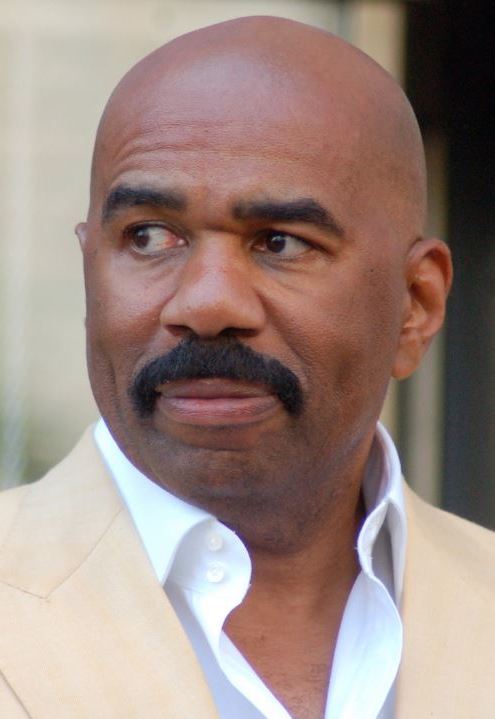
Steve Harvey AI Voice Generator — Free Text to Speech
Type text, play a Steve Harvey-style preview, generate an MP3 in seconds — no install, works in your browser.
Free · No sign-up · Works in your browser
Enter your text
Choose a voice
By clicking Generate you confirm that you have obtained explicit written authorization from the voice owner or provider for any voice you provide, and that you will use the generated audio only for lawful purposes. See our Terms of Use.
Create a Steve Harvey-style clip online
Make a short Steve Harvey-style voice clip in four quick actions: write, preview, generate, then play or save the MP3.
- 1
Type your text
Enter the exact words you want spoken. Keep it within the free plan length or upgrade for longer lines.
- 2
Pick and preview
Select the Steve Harvey-style voice and play the instant preview to hear tone and pacing before you generate.
- 3
Generate audio
Click Generate. Our servers render the Text to Speech (TTS) audio in seconds and place a playable file on the page.
- 4
Play or download
Listen immediately in your browser and download the MP3 for use in videos, memes, or social edits.
Steve Harvey AI Voice Generator features
Fast, in-browser Text to Speech with a Steve Harvey-style voice. Free to try (up to 300 characters per generation) and instant MP3 downloads — no account required.
In-browser TTS with instant playback
Type text and click Generate — our servers produce the TTS audio in seconds and play it back right on the page. No app or installation needed; works on desktop and mobile browsers.
Free plan and Pro upgrade
Use the free tier with up to 300 characters per generation and no sign-up. Upgrade to Pro ($9.9/month) to increase the per-generation limit to 1000 characters.
Instant preview clip
Every voice includes a short preview you can play before generating the full file so you can check delivery and pacing first.
Downloadable MP3 ready for editors
Generated audio is available as an MP3 file you can save and import into video editors, social apps and audio workflows.
Large voice library
Choose from 195+ AI voices across Celebrity, Cartoon, Anime, Gaming and more — each voice labeled with a style tag such as "Steve Harvey-style".
AI voice-cloning Text to Speech
The Steve Harvey-style model is an AI recreation powered by voice-cloning Text to Speech (TTS). It’s built for quick fan edits, clips and voiceovers.
What creators make with a Steve Harvey-style voice
This voice fits projects that need warm baritone delivery, quick comic timing, or announcer energy.
TikTok and Reels skits
Short sketches and punchline drops that match Steve Harvey-style timing and invoke talk-show energy for social clips.
YouTube intros and meme drops
Use a Steve Harvey-style line to open an episode, punctuate a meme, or add comedic narration to longer videos.
Podcast bits and parody segments
Create short parody intros or recurring bits that use the talk-show cadence and timing associated with that style.
Gaming highlight announcer
Add a bold announcer voice for highlight reels, match recaps, or comedic in-game commentary.
Social ads and short promotions
Grab attention in short ad spots with a familiar, expressive delivery suited to 15–30 second social formats.
Why use the Steve Harvey-style voice
Get usable, expressive audio fast without recording equipment or a voice actor.
Cut production time
Skip booking sessions and retakes — generate ready audio in seconds and drop it straight into edits.
Lower production cost
Create professional-sounding voiceovers without hiring talent or buying microphones and studio time.
Accessible to anyone
No audio skills required — type, preview, generate, and download an MP3 even on mobile.
Fits social workflows
Output is ready for TikTok, YouTube, Reels and other platforms — quick to edit and publish.
Who uses the Steve Harvey-style audio
Short notes from creators who rely on quick AI voice clips for their projects.
“I type a punchline, hit generate, and the Steve Harvey AI Voice Generator gives me an MP3 I can drop into the edit. No mics, no retakes.”
“Previewing the Steve Harvey-style clip helps me tune pauses and punchlines before I generate the final file.”
“I build short parody intros fast and download MP3s in the browser—workflow is smooth and reliable.”
About the Steve Harvey-style voice
The Steve Harvey-style voice emphasizes a warm, full baritone, deliberate pacing, and a playful timing that punctuates jokes and punchlines. Listeners often notice the conversational cadence, the emphatic pauses before a tag line, and a laugh rhythm that sells comic beats. The AI recreation focuses on matching those delivery traits—tone, rhythm and timing—using voice-cloning Text to Speech to produce short, expressive clips for fan edits, sketches and narrations. This is a synthetic Steve Harvey-style model, tuned for recognizable delivery without being a live performance.
FAQ — Steve Harvey-style Text to Speech and usage
Is the Steve Harvey AI Voice Generator really free?
Yes. You can use the Steve Harvey AI Voice Generator for free in your browser with no sign-up. The free plan allows up to 300 characters per generation; a Pro tier raises that limit to 1000 characters for $9.9/month.
How does the Text to Speech (TTS) generation work here?
Type your text, pick the Steve Harvey-style voice, then click Generate. Our servers create the TTS audio in seconds and return a playable file on the page. You can play the instant preview first to check delivery.
Can I download the generated audio as an MP3?
Yes. After generating, the audio is available to download as an MP3 so you can import it into video editors, social apps, or other projects.
Can I use generated audio commercially or in ads?
Commercial use may require permission from the rights holder. The Steve Harvey-style audio is an AI recreation; if you plan to use clips commercially, obtain necessary clearances and comply with platform rules. Users are responsible for securing any required rights.
Do I need permission to use a Steve Harvey-style voice?
If your project uses a recognizable likeness or is for commercial distribution, you should secure permission from the rights holder. The tool provides a Steve Harvey-style TTS model for creative work, but legal permission and platform policies are your responsibility.
What are the character limits and upgrade options?
Free users can generate up to 300 characters per generation with no account. Pro raises the per-generation limit to 1000 characters for $9.9/month. Check the tool panel before generating to confirm the current limits.
Will platforms remove audio made with this generator?
Platform takedowns depend on each service’s policies. We provide AI-generated Steve Harvey-style audio and an MP3 download; whether content is allowed or taken down is determined by the platform and rights holders. Follow each platform’s rules and obtain permissions as needed.
More voices like Steve Harvey
Try other celebrity- and character-style voices like David Attenborough, Donald Trump, Drake, Kanye West, Narendra Modi, and Amitabh Bachchan.
This is a fan-made parody tool and is not affiliated with or endorsed by the rights holder; users are responsible for how they use generated audio.